
Collegare Claude
The Besluitbron gives Claude access to the public decision-making records of 310 municipalities, 8 provinces and 13 water authorities — well over 5 million documents. Choose below how you connect Claude.
Collegare con Claude Desktop consigliato
Recommended for most users. Open Settings → Connectors and add a custom connector.
Aggiungere un connettore personalizzato in Claude Desktop
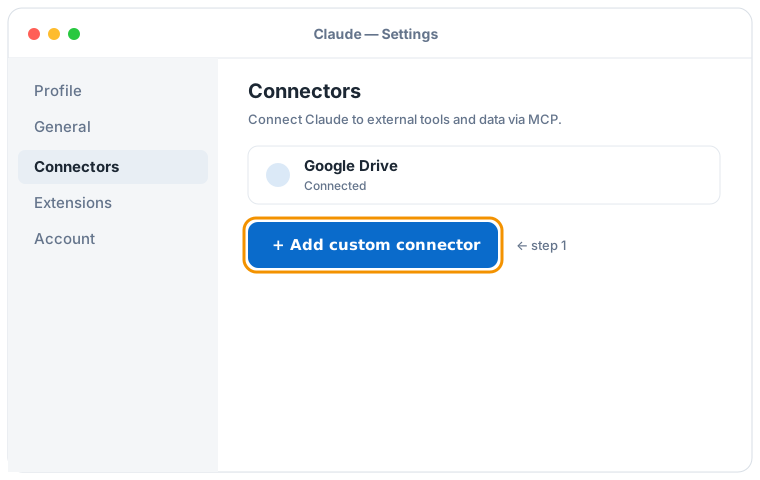
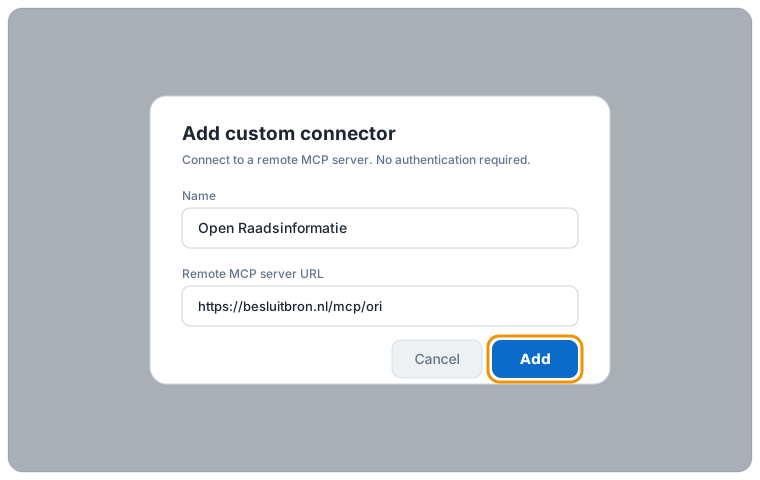
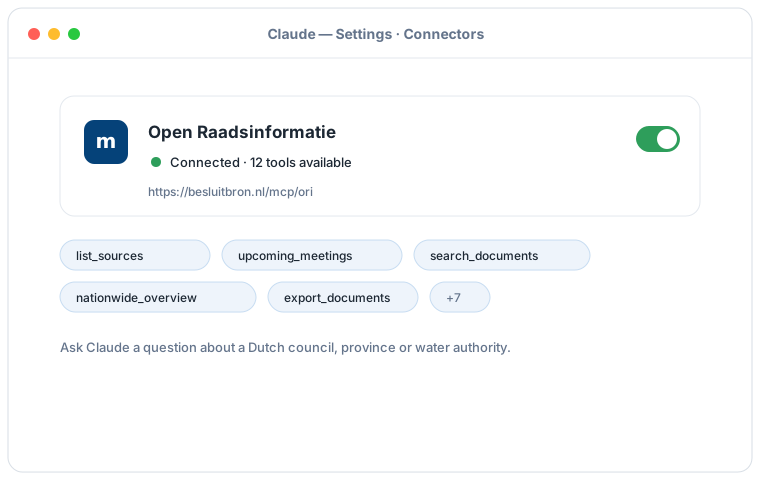
Illustrazione schematica del flusso di Claude Desktop; le schermate esatte possono variare per versione.
Aggiungete un connettore personalizzato con questo URL:
https://besluitbron.nl/mcp/ori
Non è richiesta alcuna autenticazione.
Collegare con Claude Code
Run a single command in the terminal:
claude mcp add --transport http ori https://besluitbron.nl/mcp/ori
Collegare con claude.ai
Add a custom connector under Settings → Connectors with the same URL.
https://besluitbron.nl/mcp/ori
Domande di esempio
- "What is on the agenda of the upcoming Utrecht council meeting?"
- "Find the Ede documents about the heat network from recent years and summarise the positions."
- "What happened earlier in this dossier, and are there contradictions between the documents?"
- "Give a nationwide picture of nitrogen policy: which authorities are most active and what happened per year?"
- "Export all documents about asylum reception since 2025 as CSV." (returns a download link, up to thousands of documents)
Da sapere
- Feel free to ask about upcoming meetings — if none show up the source data is still catching up, and Claude will show the most recent meetings instead.
- Ask Claude for "all" results or a nationwide overview; Claude pages through more results and, for large research, can make a full CSV export with a download link.
- Ask Claude for the source of any answer; you get the original link at the municipality, province or water authority per document, so you can verify everything yourself.