
Tweede Kamer verbinden
The Tweede Kamer publishes its own archive: every motion, every decision, every vote per faction, and the verbatim record of every debate. This connector makes that answerable. ORI and OpenBesluitvorming cover municipalities, provinces and water authorities; this one covers the national parliament.
Was dieser Konnektor kann und was nicht
- Search looks at the TITLE of a paper only. This platform has no full-text search, and on a measured sample title search missed 59 to 100 percent of the papers that mention a term in their body. Treat a hit as a candidate, then read the paper.
- Den INHALT von Drucksachen zu durchsuchen ist möglich, aber das kommt nicht von der Tweede Kamer: Es wird bereitgestellt von opentk.nl, einem unabhängigen Open-Source-Dienst von bert hubert, der die Drucksachen der Kamer herunterlädt, ihren Text extrahiert (Scans per OCR) und ihn indexiert. Jede Antwort des Werkzeugs nennt diese Herkunft; die Drucksachen selbst bleiben die der Kamer.
- The text of a paper exists for about a quarter of them: roughly half since 2021, almost none before 2018. Where it is absent the connector returns nothing rather than an unreliable PDF extraction.
- Votes per faction, with seat counts that total 150. Votes cast by mistake are recorded as such, which is how a motion can pass against the intent of the chamber.
- Verbatim records of the sittings, with each speaker’s name, faction and the platform’s own person identifier, so a quote can be attributed.
- The cabinet’s position on a motion (Ontraden, Oordeel Kamer). No other Dutch source publishes that as data.
Claude Mit Claude verbinden
Mit Claude Desktop verbinden empfohlen
Recommended for most users. Open Settings → Connectors and add a custom connector.
Einen benutzerdefinierten Connector in Claude Desktop hinzufügen
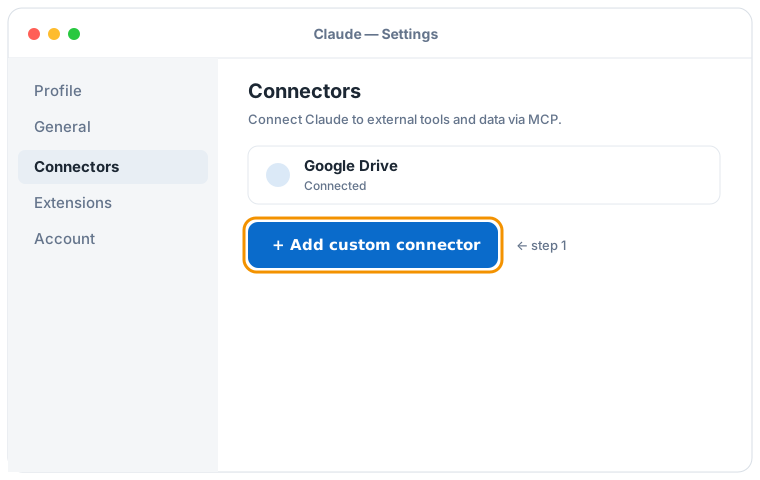

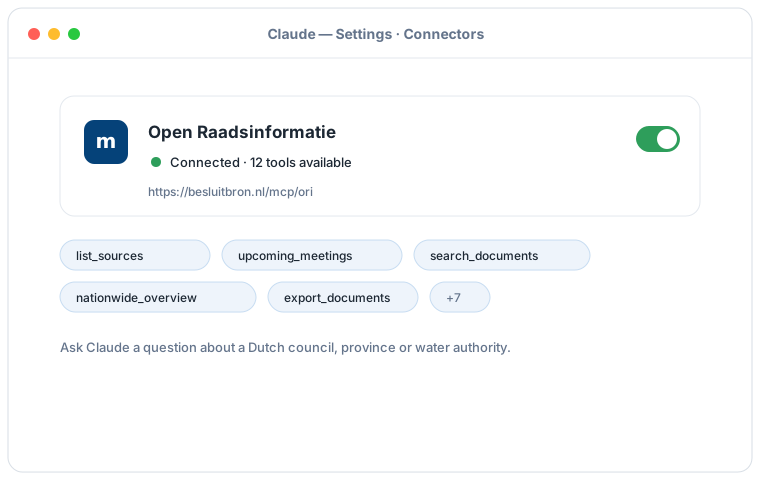
Schematische Darstellung des Claude-Desktop-Ablaufs; die genauen Bildschirme können je nach Version abweichen. Klicken Sie auf eine Abbildung, um sie zu vergrößern.
Fügen Sie einen benutzerdefinierten Connector mit dieser URL hinzu:
https://besluitbron.nl/mcp/tweedekamer/v1
Es ist keine Authentifizierung erforderlich.
Diese Adresse ist die dieser Installation. Eine Organisation, die den Dienst selbst betreibt, verwendet ihre eigene Adresse. Selbst betreiben.
Mit Claude Code verbinden
Run a single command in the terminal:
claude mcp add --transport http tk https://besluitbron.nl/mcp/tweedekamer/v1
Mit claude.ai verbinden
Add a custom connector under Settings → Connectors with the same URL.
https://besluitbron.nl/mcp/tweedekamer/v1
ChatGPT Mit ChatGPT verbinden
ChatGPT can use BesluitBron too. The route differs from Claude's: with Claude you add an ordinary custom connector, with ChatGPT it sits behind a developer setting.
Needed: ChatGPT in a web browser and a paid plan on which developer mode is available. In a Business or Enterprise workspace an administrator has to allow it first, under Workspace Settings → Permissions & Roles → Connected Data. OpenAI states this mode is meant for developers.
- In ChatGPT, open your profile picture at the top right and go to Settings.
- Go to Connectors (called Apps in some versions) and open Advanced settings at the bottom.
- Entwicklermodus einschalten.
- Under Connectors, add a remote MCP server and paste the URL below. For authentication, choose none.
Fügen Sie einen benutzerdefinierten Connector mit dieser URL hinzu:
https://besluitbron.nl/mcp/tweedekamer/v1
Es ist keine Authentifizierung erforderlich.
OpenAI changes these screens regularly and the names differ per version and plan; if your screen looks different, see the Hilfecenter von OpenAI.