
Connecter Tweede Kamer
The Tweede Kamer publishes its own archive: every motion, every decision, every vote per faction, and the verbatim record of every debate. This connector makes that answerable. ORI and OpenBesluitvorming cover municipalities, provinces and water authorities; this one covers the national parliament.
Ce que ce connecteur sait faire et ne sait pas faire
- Search looks at the TITLE of a paper only. This platform has no full-text search, and on a measured sample title search missed 59 to 100 percent of the papers that mention a term in their body. Treat a hit as a candidate, then read the paper.
- Rechercher dans le CONTENU des documents est possible, mais cela ne vient pas de la Tweede Kamer : c'est fourni par opentk.nl, un service libre indépendant de bert hubert qui télécharge les documents de la Kamer, en extrait le texte (numérisations par OCR) et l'indexe. Chaque réponse de l'outil nomme cette origine ; les documents eux-mêmes restent ceux de la Kamer.
- The text of a paper exists for about a quarter of them: roughly half since 2021, almost none before 2018. Where it is absent the connector returns nothing rather than an unreliable PDF extraction.
- Votes per faction, with seat counts that total 150. Votes cast by mistake are recorded as such, which is how a motion can pass against the intent of the chamber.
- Verbatim records of the sittings, with each speaker’s name, faction and the platform’s own person identifier, so a quote can be attributed.
- The cabinet’s position on a motion (Ontraden, Oordeel Kamer). No other Dutch source publishes that as data.
Claude Connecter avec Claude
Connecter avec Claude Desktop recommandé
Recommended for most users. Open Settings → Connectors and add a custom connector.
Ajouter un connecteur personnalisé dans Claude Desktop
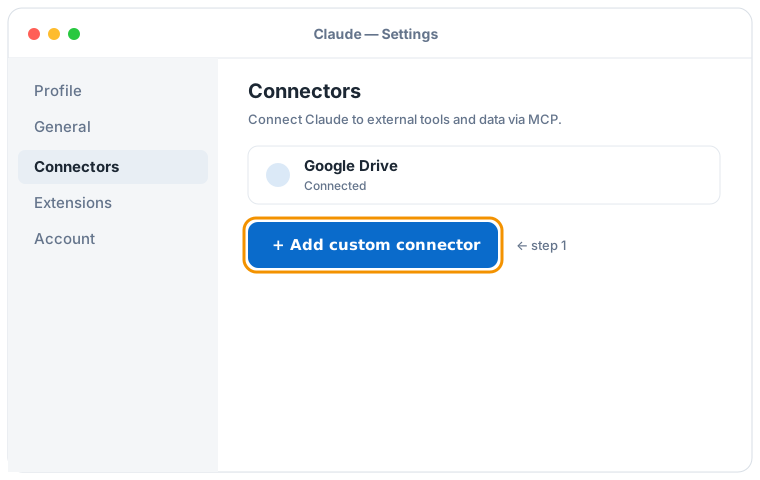

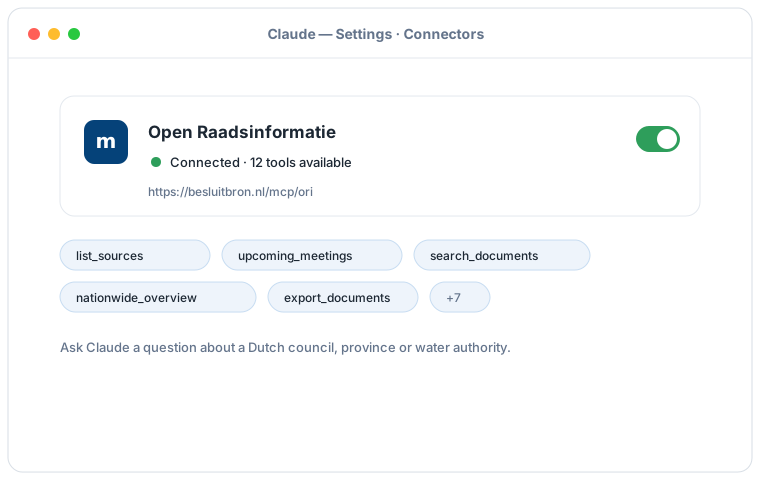
Illustration schématique du flux Claude Desktop ; les écrans exacts peuvent varier selon la version. Cliquez sur une illustration pour l'agrandir.
Ajoutez un connecteur personnalisé avec cette URL :
https://besluitbron.nl/mcp/tweedekamer/v1
Aucune authentification n'est requise.
Cette adresse est celle de cette installation. Une organisation qui mène le service elle-même utilise sa propre adresse. Héberger soi-même.
Connecter avec Claude Code
Run a single command in the terminal:
claude mcp add --transport http tk https://besluitbron.nl/mcp/tweedekamer/v1
Connecter avec claude.ai
Add a custom connector under Settings → Connectors with the same URL.
https://besluitbron.nl/mcp/tweedekamer/v1
ChatGPT Connecter avec ChatGPT
ChatGPT can use BesluitBron too. The route differs from Claude's: with Claude you add an ordinary custom connector, with ChatGPT it sits behind a developer setting.
Needed: ChatGPT in a web browser and a paid plan on which developer mode is available. In a Business or Enterprise workspace an administrator has to allow it first, under Workspace Settings → Permissions & Roles → Connected Data. OpenAI states this mode is meant for developers.
- In ChatGPT, open your profile picture at the top right and go to Settings.
- Go to Connectors (called Apps in some versions) and open Advanced settings at the bottom.
- Activez le mode développeur.
- Under Connectors, add a remote MCP server and paste the URL below. For authentication, choose none.
Ajoutez un connecteur personnalisé avec cette URL :
https://besluitbron.nl/mcp/tweedekamer/v1
Aucune authentification n'est requise.
OpenAI changes these screens regularly and the names differ per version and plan; if your screen looks different, see the centre d'aide d'OpenAI.