
Connect Rechtspraak
What a public body decides can be challenged in court. This connector makes the rulings of the Dutch judiciary answerable: 3.743.498 registered rulings and conclusions, of which 951.718 are published with their full text and searchable word by word. It is the only source here that says what a JUDGE decided, and the only one that can follow a case through the instances.
What you have to know first
- The searchable corpus is a quarter of the register. Of 3.743.498 registrations, 951.718 were published with their text, because a court decides which of its rulings it publishes. Finding nothing here is therefore never the same as no court having ruled on the subject. Count with find_rulings first.
- Publication lags by weeks. Measured on 2026-08-15: of the rulings dated on one Wednesday, 92 had a text three days later, 268 after seventeen days, 374 after a month and 543 after three months. A question about last week's case law is structurally incomplete.
- Names, addresses, dates of birth and e-mail addresses are removed before publication. The token [adres] occurs in 316.228 of the 951.718 published rulings. Searching for a person or an address therefore returns exactly the cases where that removal was incomplete.
- Full-text search runs over the service behind uitspraken.rechtspraak.nl, which the Rechtspraak has not documented. It can change without notice. This connector checks every answer for its shape and falls back to the documented register when it changes, with a sentence in the answer saying that the text was not searched.
What this connector can do
- Search reads the TEXT of a ruling and not only its summary. Measured: 'stikstof' reaches 3.117 rulings through their body and 298 through their summary. Totals are exact, and hits per court are counted over EVERY match rather than over the page shown.
- The whole course of proceedings from one ECLI: the conclusion of the Advocate General, the ruling appealed against, and what the later instance did with the earlier one. No other source here holds that chain.
- Counting over the whole register, including the three in four rulings without a published text. That is the only way to see how much falls outside the searchable corpus.
- Everything is citable by ECLI, the European identifier for a court decision. It is stable: the right thing to store and the right thing to quote.
Claude Connecting with Claude
Connect with Claude Desktop recommended
Recommended for most users. Open Settings → Connectors and add a custom connector.
Add a custom connector in Claude Desktop
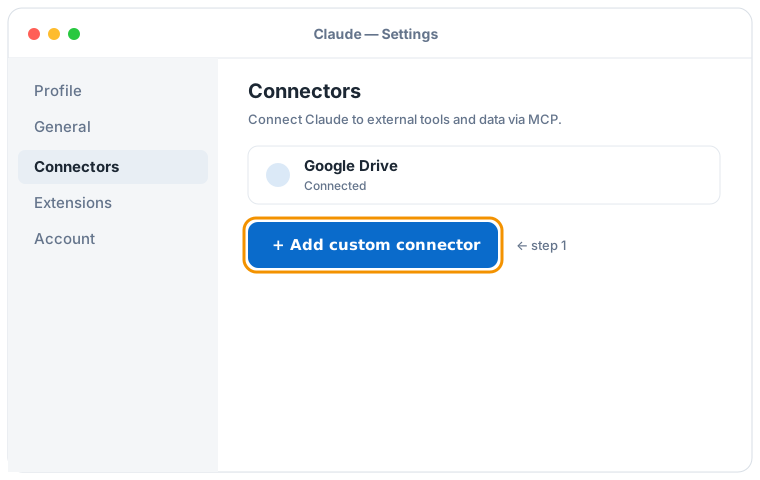

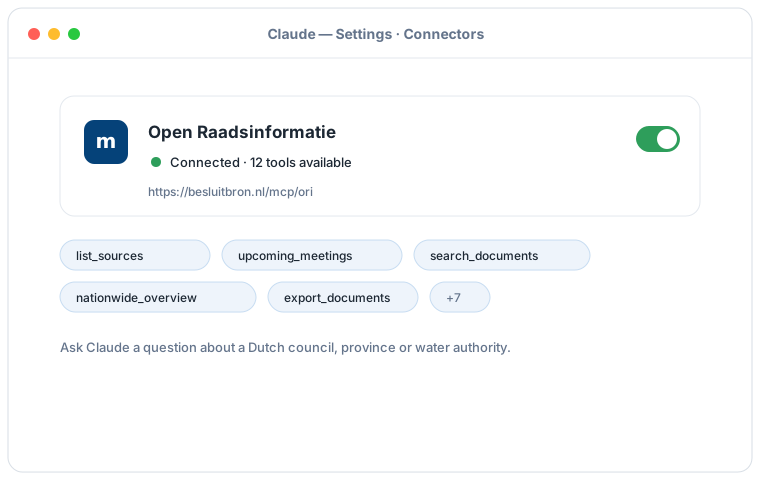
Schematic illustration of the Claude Desktop flow; the exact screens may vary per version. Click an illustration to enlarge it.
Add a custom connector with this URL:
https://besluitbron.nl/mcp/rechtspraak/v1
No authentication is required.
This address is the one of this installation. An organisation running the service itself uses its own address. Run it yourself.
Connect with Claude Code
Run a single command in the terminal:
claude mcp add --transport http rechtspraak https://besluitbron.nl/mcp/rechtspraak/v1
Connect with claude.ai
Add a custom connector under Settings → Connectors with the same URL.
https://besluitbron.nl/mcp/rechtspraak/v1
ChatGPT Connecting with ChatGPT
ChatGPT can use BesluitBron too. The route differs from Claude's: with Claude you add an ordinary custom connector, with ChatGPT it sits behind a developer setting.
Needed: ChatGPT in a web browser and a paid plan on which developer mode is available. In a Business or Enterprise workspace an administrator has to allow it first, under Workspace Settings → Permissions & Roles → Connected Data. OpenAI states this mode is meant for developers.
- In ChatGPT, open your profile picture at the top right and go to Settings.
- Go to Connectors (called Apps in some versions) and open Advanced settings at the bottom.
- Switch on Developer mode.
- Under Connectors, add a remote MCP server and paste the URL below. For authentication, choose none.
Add a custom connector with this URL:
https://besluitbron.nl/mcp/rechtspraak/v1
No authentication is required.
OpenAI changes these screens regularly and the names differ per version and plan; if your screen looks different, see the OpenAI Help Center.