
Connect Open Raadsinformatie
This connector gives Claude access to the public decision-making records of 310 municipalities, 8 provinces and 13 water authorities: about 5.6 million documents. Choose below how you connect Claude.
Claude Connecting with Claude
Connect with Claude Desktop recommended
Recommended for most users. Open Settings → Connectors and add a custom connector.
Add a custom connector in Claude Desktop
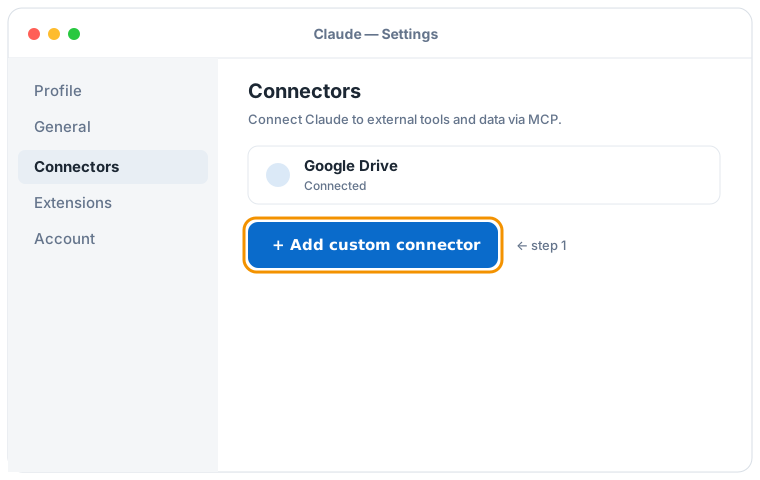

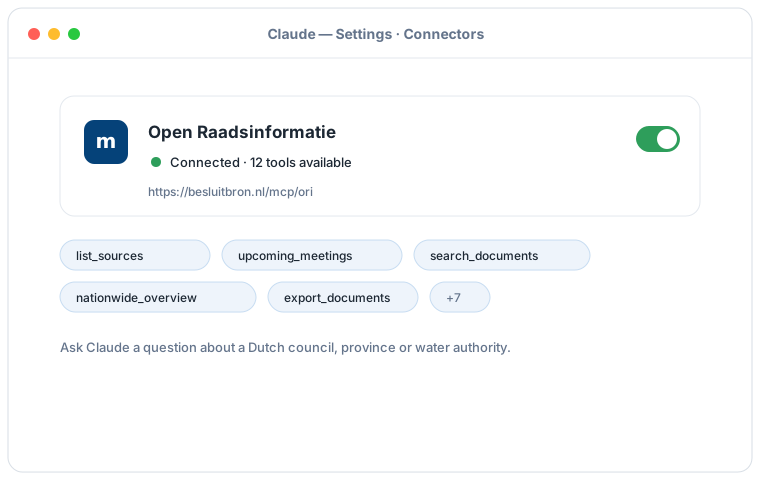
Schematic illustration of the Claude Desktop flow; the exact screens may vary per version. Click an illustration to enlarge it.
Add a custom connector with this URL:
https://besluitbron.nl/mcp/ori
No authentication is required.
This address is the one of this installation. An organisation running the service itself uses its own address. Run it yourself.
Connect with Claude Code
Run a single command in the terminal:
claude mcp add --transport http ori https://besluitbron.nl/mcp/ori
Connect with claude.ai
Add a custom connector under Settings → Connectors with the same URL.
https://besluitbron.nl/mcp/ori
ChatGPT Connecting with ChatGPT
ChatGPT can use BesluitBron too. The route differs from Claude's: with Claude you add an ordinary custom connector, with ChatGPT it sits behind a developer setting.
Needed: ChatGPT in a web browser and a paid plan on which developer mode is available. In a Business or Enterprise workspace an administrator has to allow it first, under Workspace Settings → Permissions & Roles → Connected Data. OpenAI states this mode is meant for developers.
- In ChatGPT, open your profile picture at the top right and go to Settings.
- Go to Connectors (called Apps in some versions) and open Advanced settings at the bottom.
- Switch on Developer mode.
- Under Connectors, add a remote MCP server and paste the URL below. For authentication, choose none.
Add a custom connector with this URL:
https://besluitbron.nl/mcp/ori
No authentication is required.
OpenAI changes these screens regularly and the names differ per version and plan; if your screen looks different, see the OpenAI Help Center.
Example prompts
- "What is on the agenda of the upcoming Utrecht council meeting?"
- "Find the Ede documents about the heat network from recent years and summarise the positions."
- "What happened earlier in this dossier, and are there contradictions between the documents?"
- "Give a nationwide picture of nitrogen policy: which authorities are most active and what happened per year?"
- "Export all documents about asylum reception since 2025 as CSV." (returns a download link, up to thousands of documents)
Good to know
- Feel free to ask about upcoming meetings, if none show up the source data is still catching up, and Claude will show the most recent meetings instead.
- Ask Claude for "all" results or a nationwide overview; Claude pages through more results and, for large research, can make a full CSV export with a download link.
- Ask Claude for the source of any answer; you get the original link at the municipality, province or water authority per document, so you can verify everything yourself.