
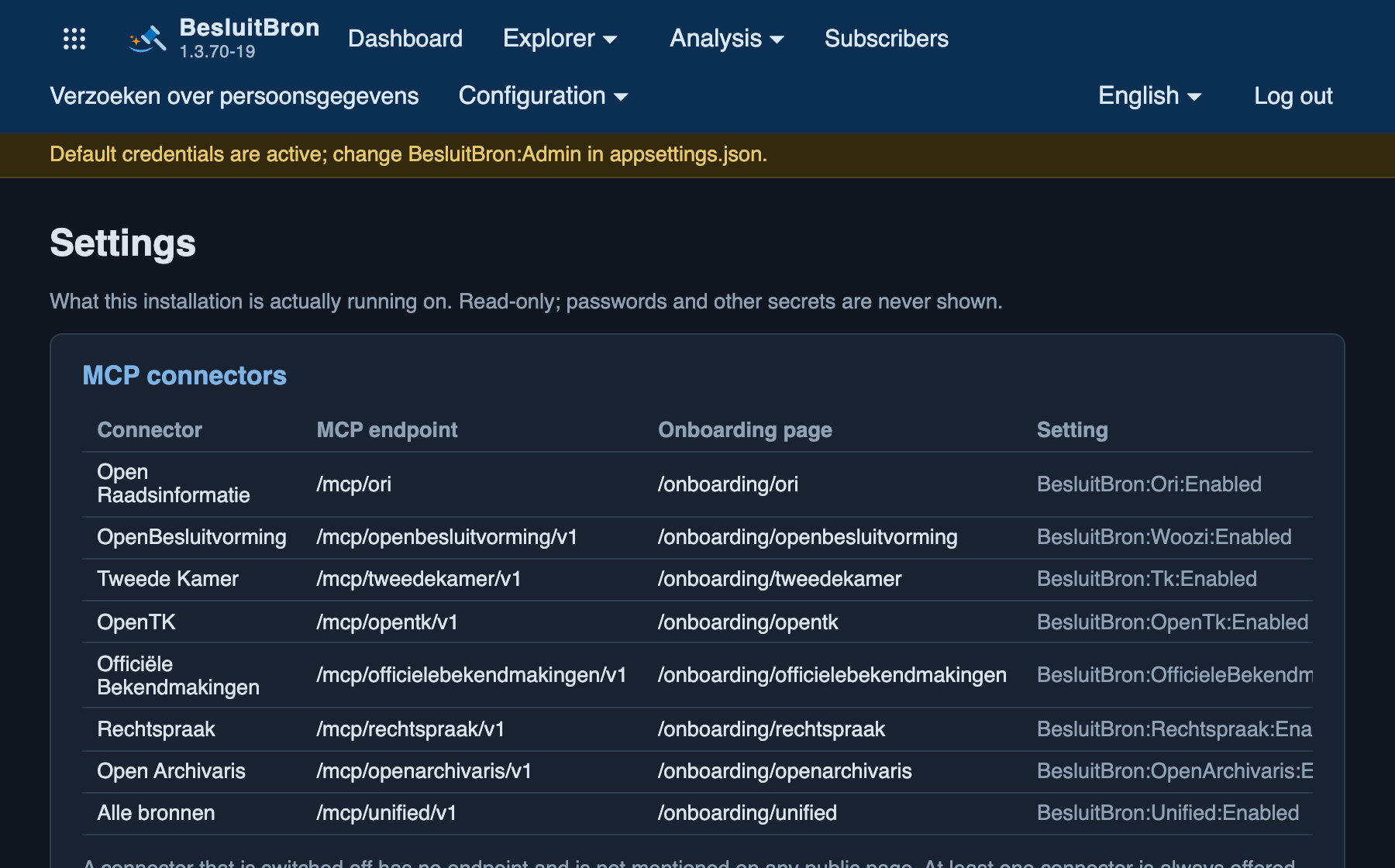
What this installation is running: which connectors are active and their addresses, the environment details, the folders and their associated permissions, and, for each setting, the value and its source. That last column is the most important when looking for a setting that appears to have no effect. This is almost always a file that the application does not read. Which files and which environment apply in this context, and in what order, is set out in Instellingen Overschrijven.
What this is based on
The screen displays the five blocks on which the service is running. These are five different things, and in a containerised setup, they are partly different machines.
- "Application": the version of the service, the data model included in this build and the data model currently in the database, the environment, and how long the process has been running.
- “.NET runtime environment”: the version of .NET on which the service runs, the architecture, and the amount of memory the process is permitted to use.
- "Operating system underlying the runtime environment": the system on which that runtime environment runs, including the number of processor cores. In a container, this is the container itself, not the underlying machine.
- "Database": what the database server says about itself. The version, the size of the database on disk, how long the server has been running, how many connections are open and how many are permitted, and the amount of memory the server is allowed to use.
- "Operating system underlying the database": the platform for which that server was built, including the character encoding, sort order and time zone.
Two points have been deliberately phrased cautiously. The memory allocated to the database is what the server has been allocated, not what the machine actually has: PostgreSQL cannot report the latter. And no number of processor cores is listed for the database, for the same reason. The number of worker processes that is shown is a configuration setting, not a measurement.
The data is received by the standard user of the service, not by the database administrator. If the database does not respond, a message appears stating that the server is unreachable. Up to and including version 1.3.72, the service could also run without a database, in which case the last two blocks were omitted; from version 1.3.73 onwards, the service will not start without a database, so this situation no longer occurs.
Available from version 1.3.52.
Sending a test message
The button to test the email settings is located above the long list of settings. That list is long, and no button was found below it. See Installatie for details of what the button does and what the response means.