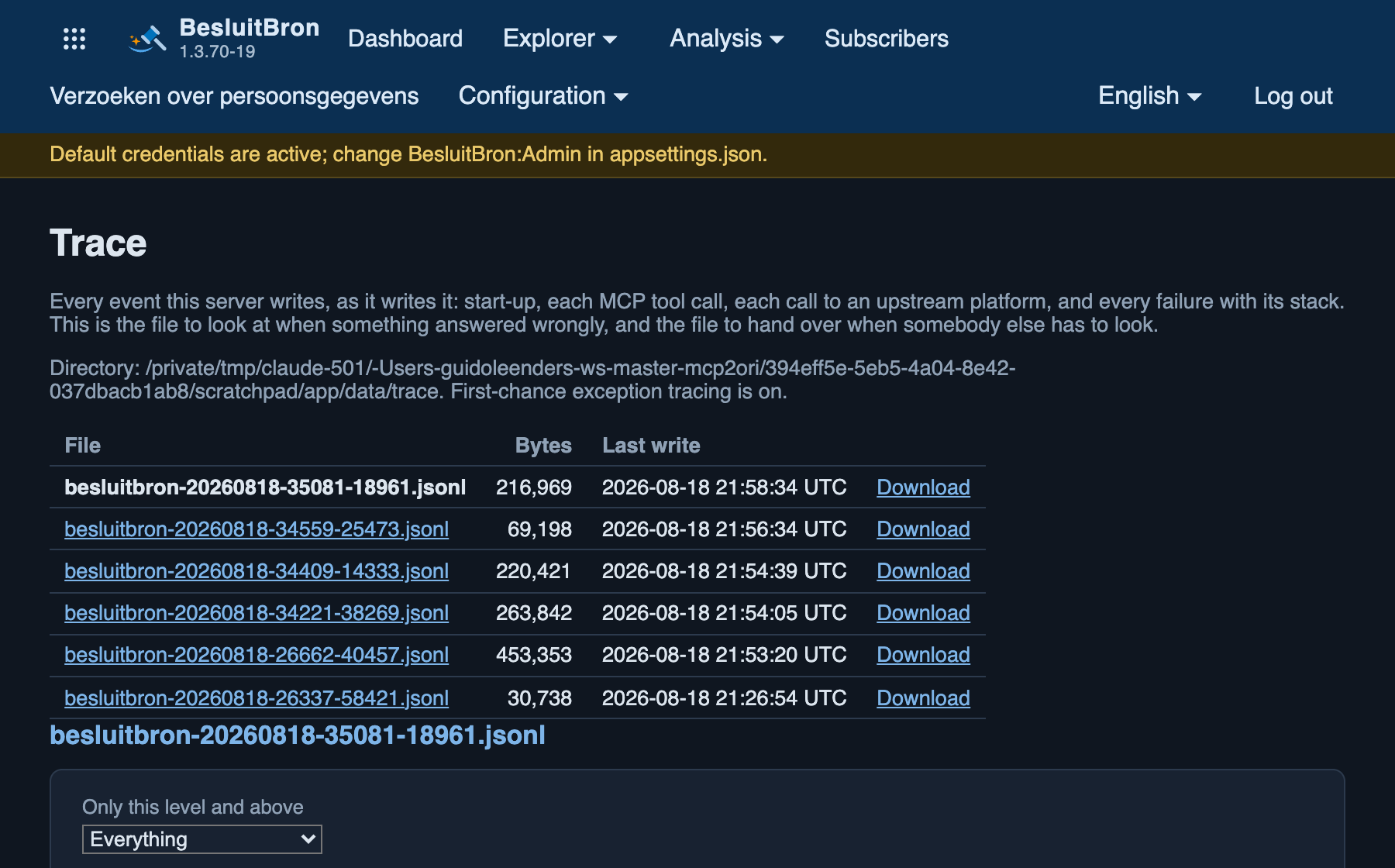
Every event that the server logs, in real time: start-up, every tool call, every call to a source platform and every error with a stack trace. This is the file to check if a response is incorrect, and the file to provide if someone else needs to look into it. The files can be downloaded individually and filtered by level and content.
From version 1.3.76 onwards, there are three tiles above the table: the number of files, the total size of all files combined, and the period they cover. The size is shown in the largest readable unit, ranging from bytes to megabytes. The time period is derived from the date in the file name and not from the time of the last write operation, as the latter only indicates when a file was last updated.
From version 1.3.58 onwards, every error is definitely logged. Up to version 1.3.57, the service only wrote a line to the log if an error occurred whilst saving. An error that was saved correctly ended up in Fouten rather than in the trace. Now, every error is assigned a line with the code bbnerr005, along with the request ID, so that the line in the trace, the row in the table and the number on Foutpagina can be matched up. The level indicates what type of error it was. A 5xx is an error within the service itself and is classified as ‘Error’. A 4xx is an invalid request and is set to ‘Warning’. A request that has been assessed as an attack is set to ‘Debug’, as these occur in their hundreds and the block itself already has its own line.
From version 1.3.58 onwards, the service also logs every exception as soon as it is raised, including exceptions that are subsequently caught and resolved. This is known as ‘first chance’ and was disabled up to version 1.3.57. The reason for the change: an error that was caught along the way left no trace, and anyone who went looking for it would find the setting that could have logged it disabled. These rules are at the ‘Debug’ level and have the code ‘bbnexc001’. A maximum of one hundred are logged per minute; anything above that is counted and reported in a single line. If you want a quieter log file, set ‘BesluitBron:Trace:FirstChanceExceptions’ to ‘false’.