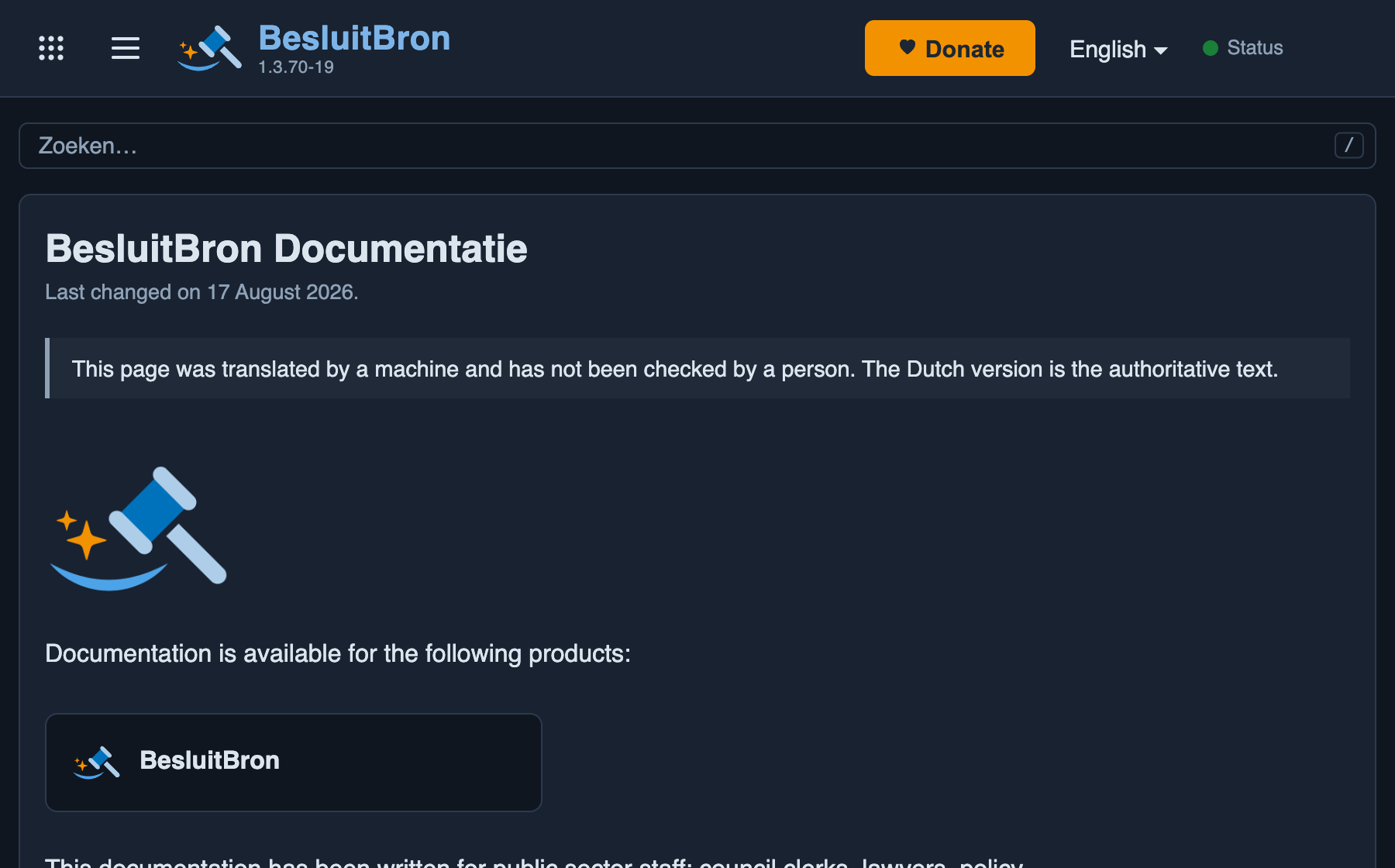
The current documentation, with a table of contents on the left, the page’s sections on the right and a search box that displays suggestions as you type. Below the title, the date the text was last updated is shown in the page’s language: ‘Last changed on 17 August 2026’ on an English page, for example. This date is taken from the documentation’s version history. The same date appears in sitemap.xml, so that a search engine knows which page is new. From version 1.3.21 onwards; the date line’s own language from 1.3.69 onwards.
The address conveys the language. The documentation is available at /nl/documentatie, /de/dokumentation, /en/documentation and /fr/documentation, and the search field has its own address for each of these: zoeken, suche, search and recherche. Up to and including version 1.3.50, the documentation was hosted at a single address without a language specification: /documentatie. That address still works and redirects to the Dutch version, so an old link or bookmark will still work.
This redirection always takes place to the Dutch version and not to the visitor’s language. This differs from the rest of the site, where an address without a language specification does indeed select the visitor’s language. The reason is that every page of the documentation is hosted at sitemap.xml for each language, so a visitor arrives directly in their own language from a search result and only encounters the old address by following an old link.
The text has been translated into English, German and French. Anyone visiting /de/dokumentation will see the text in German. This applies from version 1.3.51 onwards. Up to and including version 1.3.50, the text was in Dutch in every language, and the address only contained the language code.
The translation was produced by a machine and has not been checked by a human. This is stated at the top of every translated page, in the language of the page itself, along with a note that the Dutch version is the authoritative text. Anyone who is unsure whether a translated sentence is correct should refer to the Dutch page alongside it.
The two notices only appear once the page has been fully translated. A Dutch page does not display them, as that is the original text. A page whose translation is not yet complete does not display them either: otherwise, it would claim that everything had been translated whilst there are still sections in Dutch.
Translation does not take place whilst a user is waiting. Shortly after the service starts, each page is translated and saved. A reader is then shown the saved translation, or the Dutch text if no translation is yet available for that section. A translation service is therefore never called upon whilst a page is being opened.
A new installation does not start from scratch. It contains a previously generated translation of the text as it stood at the time and loads this as soon as the data model is ready, even without its own DeepL key. This means that such an installation will already display partially translated pages for the sections of text that have not been amended since then. Any text that has been amended since then will remain in Dutch until it is updated by your own DeepL key. From version 1.3.69 onwards.
The labels in the diagrams are also translated. The layout of a diagram remains the same: the arrows, the blocks and the names of elements such as ‘McpConnectorSurface’ or a tool such as ‘search_documents’ do not change, as these are things a reader can type out themselves. Only the words within them are translated. From version 1.3.51 onwards.
From version 1.3.69 onwards, the titles in the breadcrumb trail at the top and in the table of contents on the left use the same translation as the text: a title that has already been translated by the reconciliation process appears in the user’s own language; a title for which this has not yet happened remains in Dutch until the next start-up, when it is updated. Up to and including version 1.3.68, both were always in Dutch, even on a translated page.
What remains in Dutch, regardless of that translation: the headings ‘Overview’ and ‘Table of Contents’ above the table of contents itself, the search box, the footer at the bottom, the visible text behind a plain wiki link in the running text, and the words in the address itself. The footer also links to the Dutch privacy policy, even on a page in another language.
The screenshots are specific to each language and show the screen in that language. They were captured on an installation where translation is enabled, so the documentation page shown in the screenshot is also translated. Up to and including version 1.3.72, they displayed a Dutch screen in every language. From version 1.3.73 onwards.
When changing the language, the reader remains on the same page, including the search page. Up to and including version 1.3.50, anyone who changed the language whilst within the documentation would be taken to the site’s home page, and would therefore lose the page they were reading.
The menu bar at the top reflects the language of the page. The links within it lead to that same language, and the language selector displays the language in which the page is written. Up to and including version 1.3.53, it contained Dutch links, even on a German page, and the language selector there listed Dutch as the selected language. The text in the bar had, however, already been translated by then. From version 1.3.54 onwards.
On a screen narrower than 900 pixels, these sections appear one below the other in a different order: first the search field, then the text itself, and only at the very bottom the table of contents. This means the text starts at the top of the screen. Up to version 1.3.34, the table of contents was still displayed at the top and filled the first screen of a mobile phone. A table that is too wide for the screen shifts sideways within its own border; the surrounding text remains in place. From version 1.3.35 onwards.